

Items
A quest often needs an item the world database doesn’t have yet: a letter to deliver, a trophy to collect, or a reward to hand out. An item belongs to your project, and a quest uses it by naming it as a required item, a drop or a reward. You make one in the NPCs, objects & items module, next to the project’s NPCs and objects.
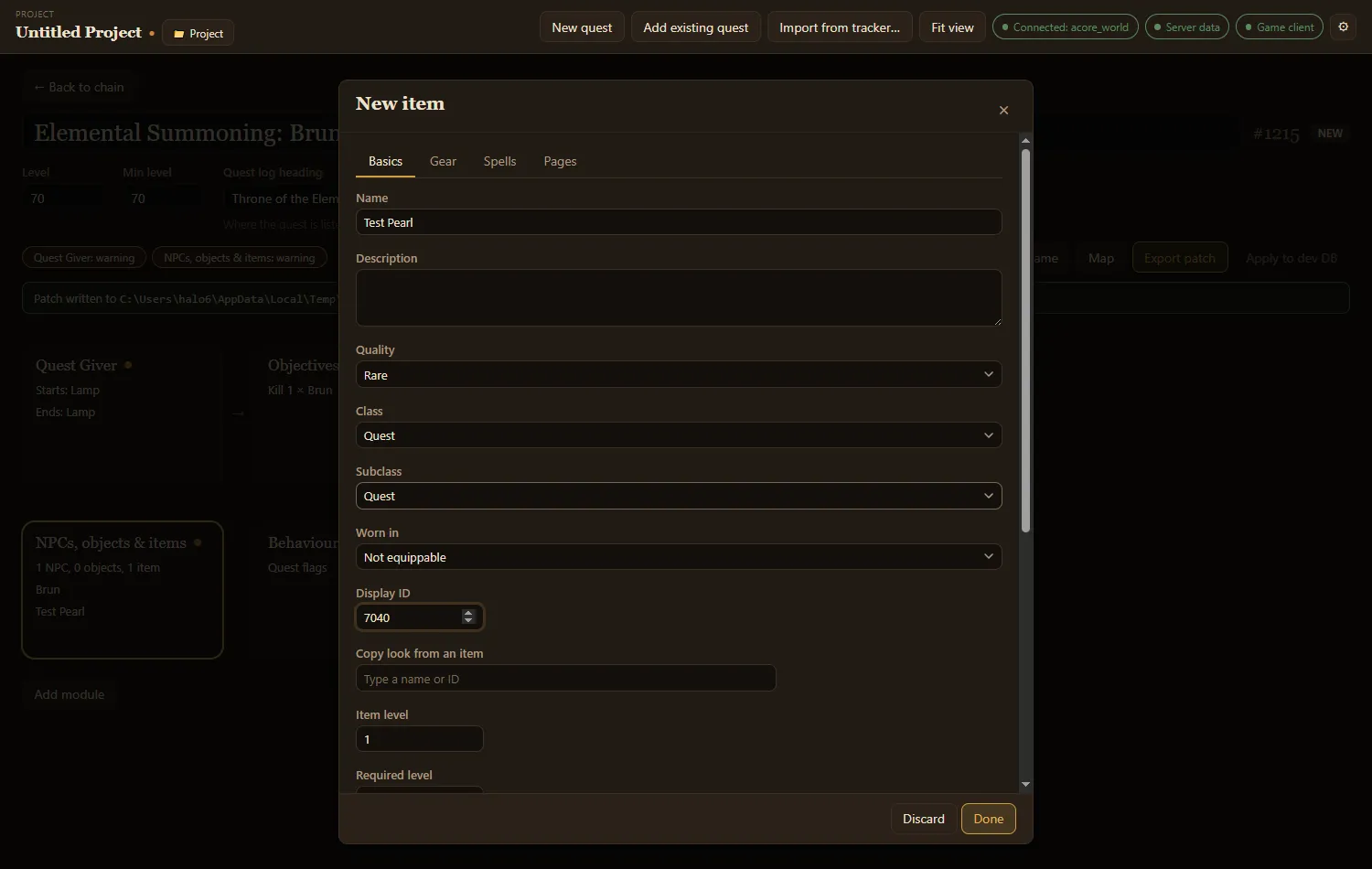
Make a quest item
Section titled “Make a quest item”- In NPCs, objects & items, choose Add item.
- On Basics, give it a Name. A new item starts as a quest item: class Quest, Binding set to Quest item, one per stack, and at most one carried.
- Set Display ID to the model and icon it should use, or pick an item under Copy look from an item to copy its look, class, subclass and slot.
- Choose Done.
The item can now be picked anywhere the quest asks for an item: required items in Objectives, drops in loot lists, and Rewards. It shows in those searches marked new.
Make a reward
Section titled “Make a reward”- Add item, name it, and set Quality, Class, Subclass and Worn in (the slot).
- On Gear, set Armor, and for a weapon its Damage and Weapon speed (ms). Add stat adds a stat such as +12 Stamina; an item has at most ten.
- On Spells, Add spell for an effect: when it happens (Use, On equip, Chance on hit…), and its charges and cooldowns. An item has at most five.
- Set Required level, Item level, and the Buy price and Sell price in copper on Basics.
Consumables, trade goods and quest items aren’t worn, so Gear starts hidden for them. Show gear fields anyway shows them.
Change an item that already exists
Section titled “Change an item that already exists”Pick an item the database already has in any item picker, such as a reward, and choose Edit…. The editor opens with its title ending in (existing). It needs the world database connected.
The first edit adds the item to the project (one undo step) and lists it as Details changed. Nothing in the database changes until you apply the project patch, which writes the item’s row with your changes over it, so fields the editor does not show stay as they were. Put back as the database has it takes your changes away again. See NPCs and objects for how editing an existing one works.
Readable items
Section titled “Readable items”On Pages, Add page and write the text. Right-clicking the item in game shows the first page, and the player turns to the next.
Starting a quest
Section titled “Starting a quest”Starts a quest on Basics makes the item begin a quest when the player uses it. The canvas links the item to that quest.
Advanced fields
Section titled “Advanced fields”item_template has many more columns: requirements, resistances, sockets, sets, flags, durability and more. Tick Show advanced fields to add an Advanced tab listing every other column your database has, grouped. An empty box keeps the column’s default.
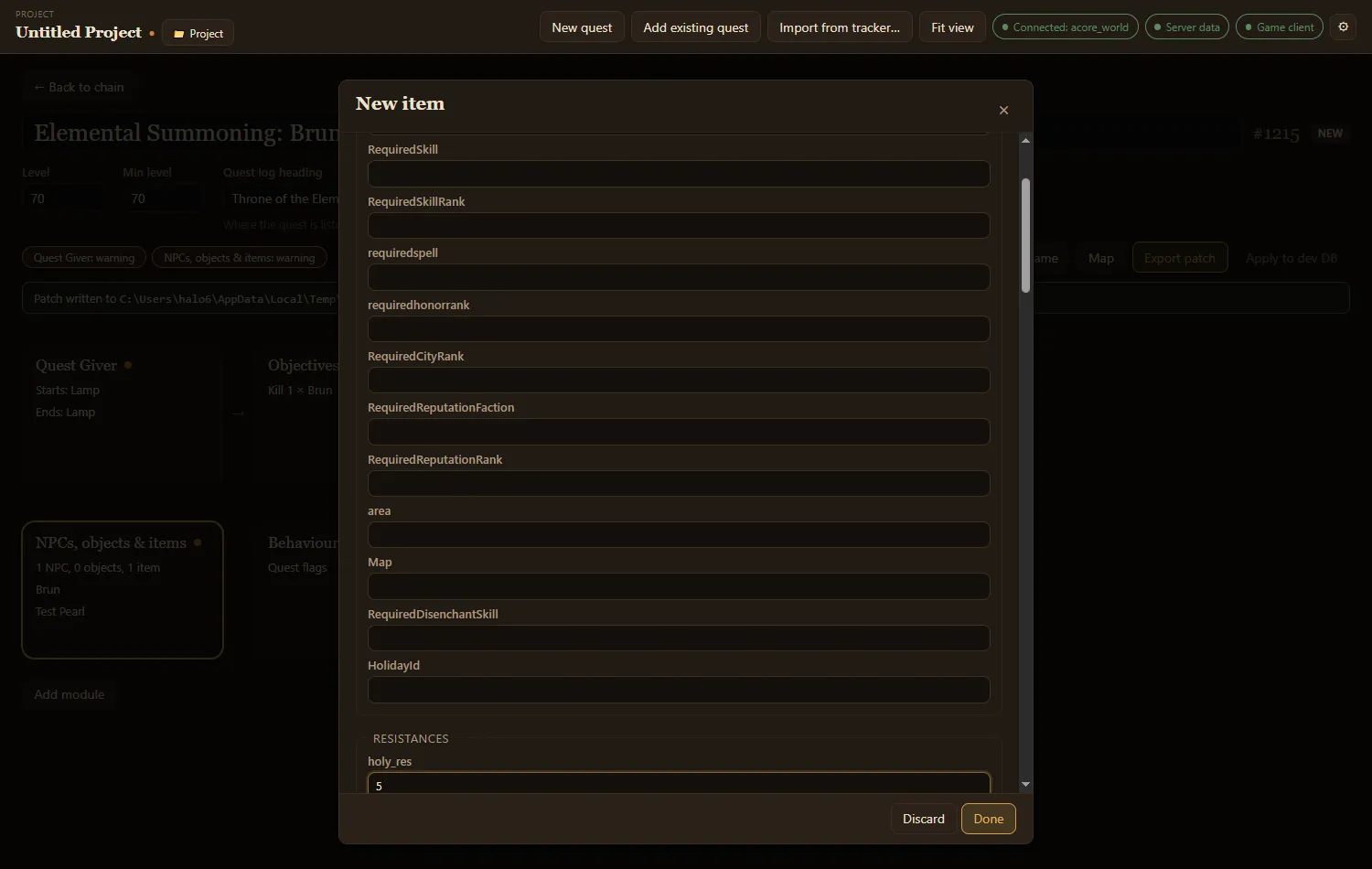
The app remembers whether you show them. If they are hidden but the item has values in some of them, the editor tells you with the note Some advanced fields have values.
What export writes
Section titled “What export writes”Each new item becomes an item_template row, and a readable item’s pages become page_text rows. Export deletes and re-inserts them each time, so the SQL always matches the project.
The item’s look comes from the game client: a Display ID the client doesn’t have shows as a question mark. An item without one exports with a warning.