

Patrols
A patrol is a route a new NPC walks, over and over. At each point it can wait, say something, play an emote and more.
Draw a route
Section titled “Draw a route”- Place the NPC in the world with Place in world on its card (or Add spawn in its editor).
- Choose Draw patrol on its card, or beside one of its spawns under Placement in its editor. The editor steps aside and the World goes to that spawn.
- Click the ground to add points in order. Enter finishes the path and brings the editor back; Done does the same.
For an NPC that already patrols (beside its spawn the button reads Edit patrol), its route is shown to drag instead, and Shift-click adds a point. Done brings the editor back.
The NPC walks from its spawn through each point and back to where it stands, then starts again.
In the World, a selected NPC’s route is shown: drag its points to move them, Shift-click to add one and Delete to remove the picked ones. Remove path in the right-click menu takes the whole route away. Each change is one step you can undo. Press Play in the World’s bar to watch it walk the route, waiting and running where its points say.
What happens at a point
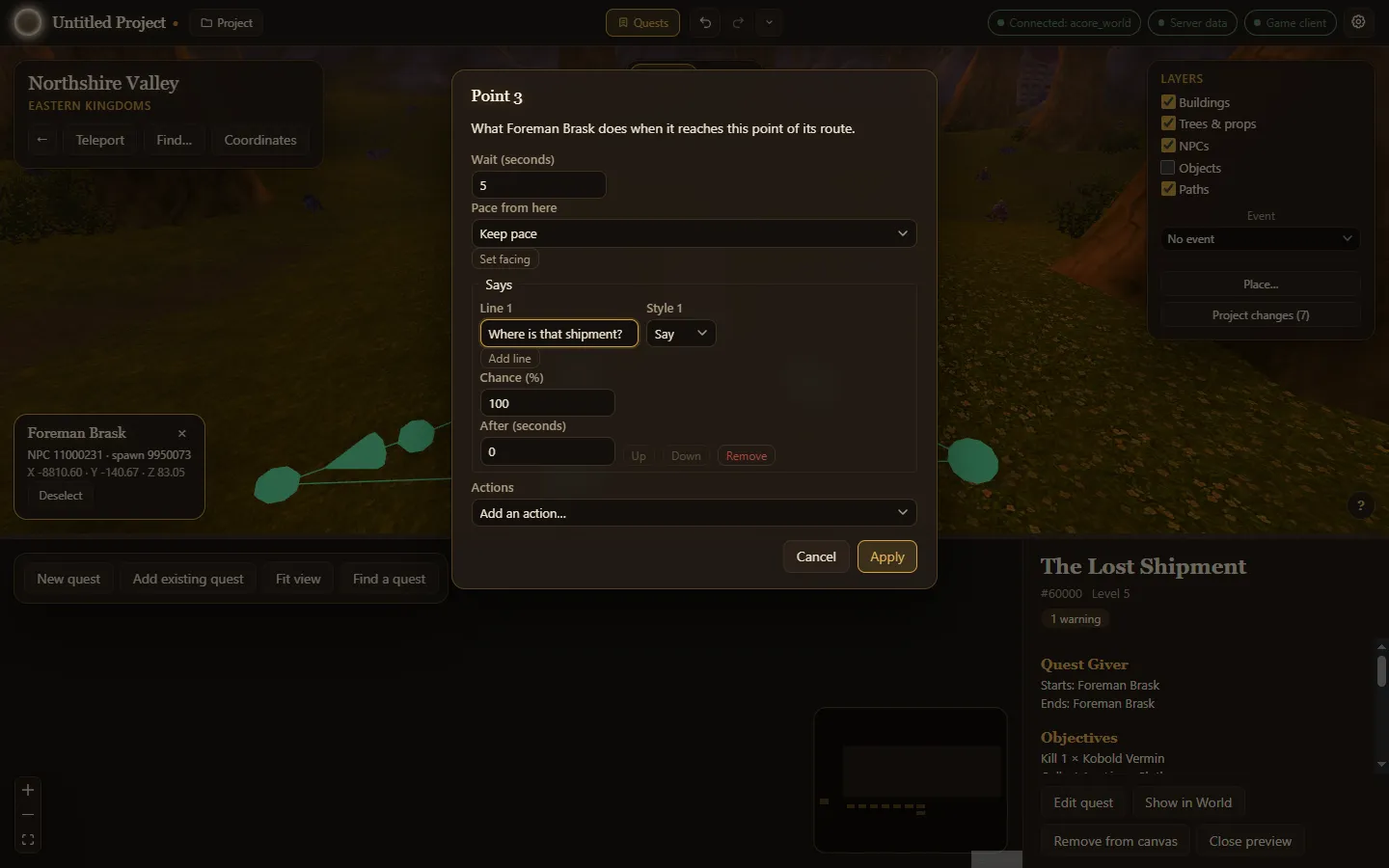
Section titled “What happens at a point”Right-click a point of the route and choose Point settings…:
- Wait (seconds): stand still there for a while.
- Pace from here: walk or run on from this point. On the route’s first point, where the NPC stands, it sets the pace it sets off at.
- Set facing: the direction to face while waiting, in degrees.
- Actions: Say something (one or more lines, each with a style such as say or yell, a chance and a delay), Play an emote, Hold a pose while waiting, Cast a spell, Play a sound, Mount, Dismount and Use an object (by its spawn guid, picked by name).
Apply is one undo step.