

NPCs and objects
The NPCs & objects module lists the new NPCs and objects a quest needs and where they stand. Making a new NPC from the Quest Giver module adds this module for you.
- Add NPC and Add object open the editor for a new one.
- Edit on a listed NPC or object opens it again.
New NPCs and objects are created in the quest as soon as you choose Done. Discard throws the changes away.
The NPC editor
Section titled “The NPC editor”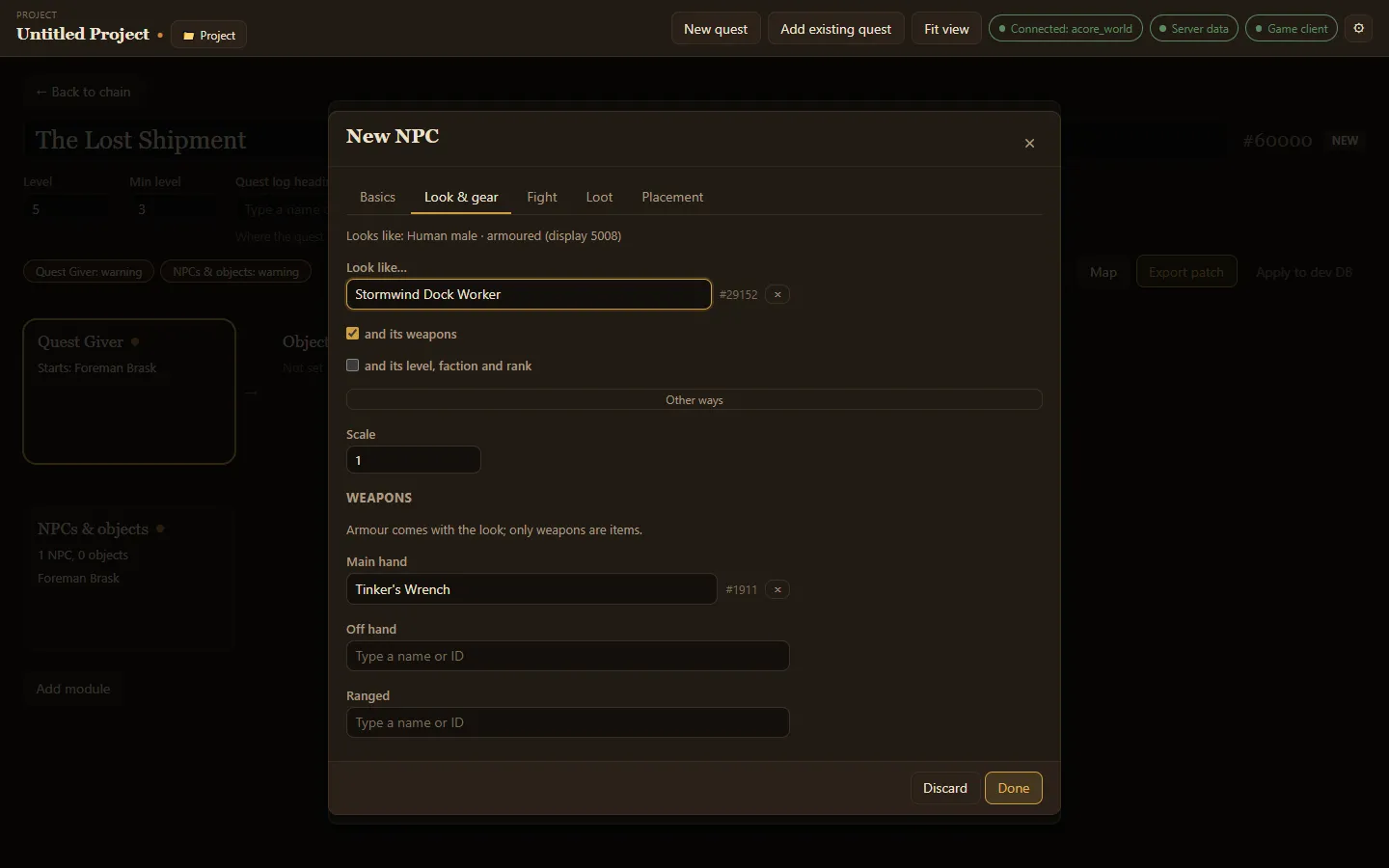
The editor has tabs:
- Basics: name, title (the line under the name), minimum and maximum level, and faction. Faction buttons such as Stormwind set a common one in a click.
- Look & gear: how the NPC looks. Type a creature under Look like… to borrow its appearance. Tick and its weapons to borrow its weapons too, or and its level, faction and rank to borrow those. Other ways lets you browse models by name or type a display ID. Scale makes it bigger or smaller. Under Weapons you can pick main hand, off hand and ranged items yourself; armour always comes with the look.
- Fight: how it fights. See the combat wizard.
- Loot: what it drops. See Loot.
- Placement: where it stands. Add spawn, then either paste the output of the in-game
.gpscommand or place it on the quest map.
The object editor
Section titled “The object editor”Objects have Basics, Look, Placement, and for some types Contents. On Basics, pick the Type:
| Type | What it is |
|---|---|
| Usable object | Something the player clicks, such as a lever or a quest item on the ground. Can show pages of text. |
| Chest (can be looted) | Something the player loots. Its Contents tab holds its loot. |
| Quest giver | An object that offers or takes back quests, such as a wanted poster. |
| Readable | A book, note or plaque. See Readable objects. |
| Decoration | Scenery with nothing to use. |
Usable objects and chests can be Only usable while this quest is in the log.
On Look, Other ways lets you Browse models by name, such as chest or book.