

Quest scripting
The Scripts module holds scenes: small “when this happens, do that” scripts around a quest. An NPC speaks when the quest is accepted, a talk option completes it, walking into an area gives credit, an NPC is escorted along a path. You describe the scene; the app writes the server’s scripts for it.
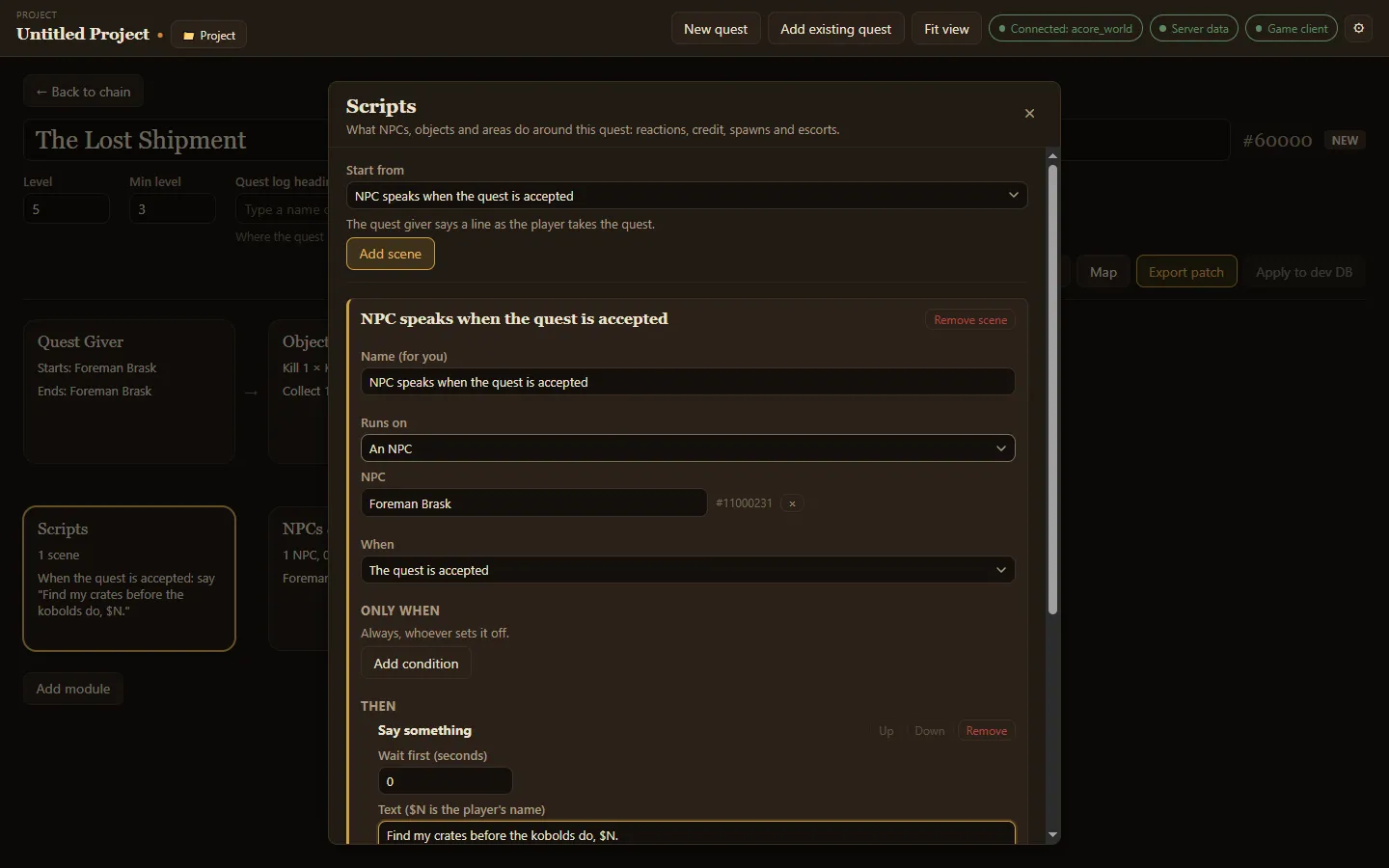
Add a scene
Section titled “Add a scene”- Choose Add module, then Scripts.
- Pick a starting point under Start from, then choose Add scene.
- Fill in the scene’s parts. Anything the starting point cannot guess, such as which NPC speaks when the quest has no giver yet, is left for you to pick.
Starting points
Section titled “Starting points”| Start from | What it does |
|---|---|
| Use an item on a target, then give credit | A player uses a quest item or spell on an NPC, which counts for the objective and then disappears. |
| Kill a target, then give credit | Killing an NPC counts for an objective, for example when the kill credit goes to a different NPC. |
| Talk option gives credit | The NPC gets a new talk option that completes the quest while it is in the log. |
| NPC speaks when the quest is accepted | The quest giver says a line as the player takes the quest. |
| NPC speaks when the quest is handed in | The NPC who takes the quest back says a line as the player hands it in. |
| Something appears on hand-in | Handing the quest in spawns an NPC for a while, such as a reward or the next step of the story. |
| Escort an NPC | Accepting the quest makes the NPC walk a path; the quest completes when it arrives and fails if it dies. |
| Enter an area for credit | Walking into an area completes the quest while it is in the log. |
| Blank scene | Start from nothing and choose every part yourself. |
The parts of a scene
Section titled “The parts of a scene”- Name (for you): a label only you see.
- Runs on: what the scene belongs to, such as an NPC, and which one.
- When: what sets it off, such as The quest is accepted.
- Only when: conditions that must hold. With none, it runs whoever sets it off.
- Then: the steps, in order. Each step can wait first. A Say something step takes the text to say;
$Nis replaced by the player’s name.
Use Up, Down and Remove to reorder or drop steps, and Remove scene to delete the whole scene.