

Quest details, objectives and rewards
Opening a quest shows its title and levels at the top and its modules below. Each module is one part of the quest; choose a module’s card to open its editor.
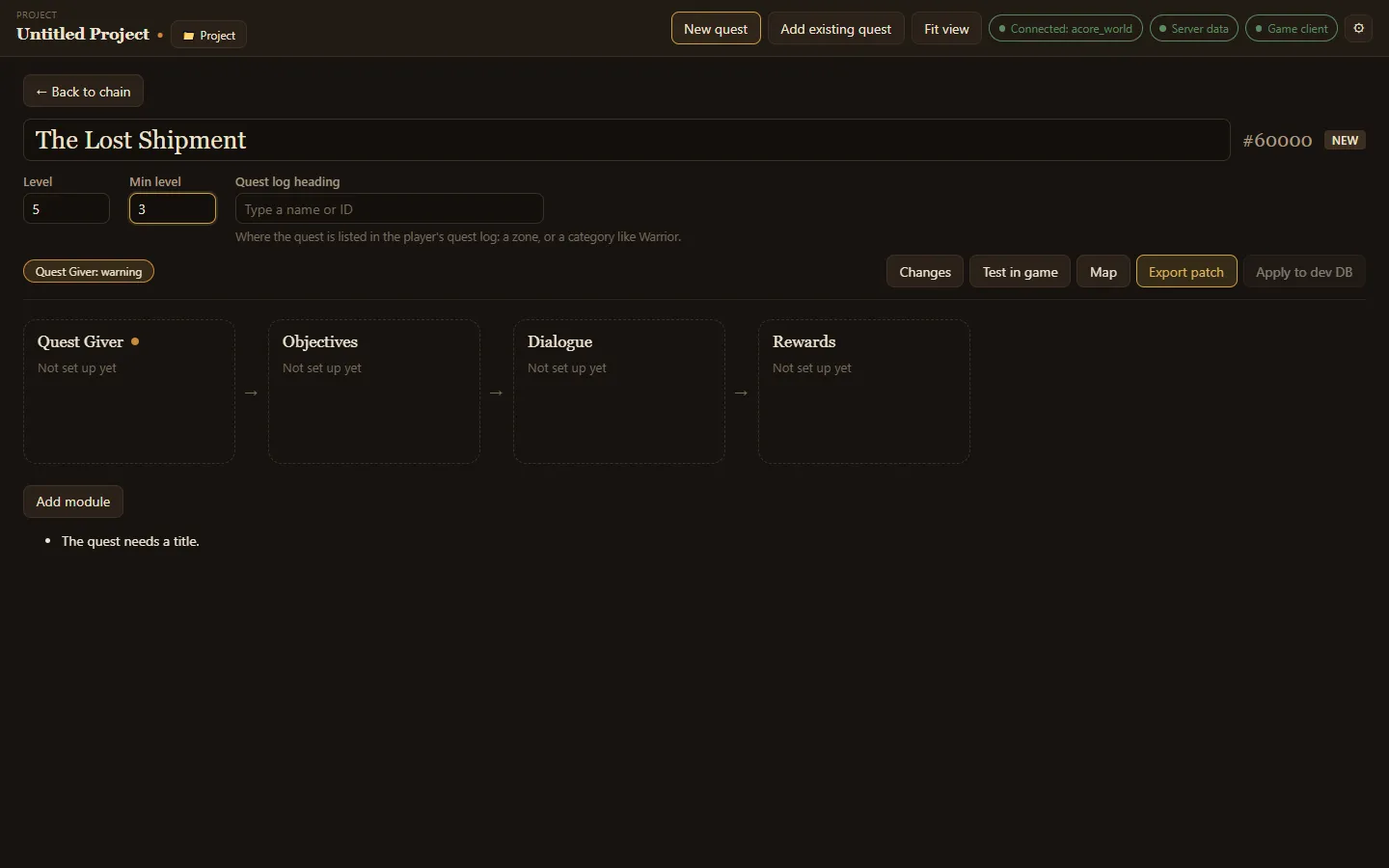
The quest itself
Section titled “The quest itself”- Quest title: the name players see.
- Level and Min level: the quest’s level and the lowest level that can take it.
- Quest log heading: where the quest is listed in the player’s quest log, either a zone or a category like Warrior. Type a name or ID.
- The quest’s ID shows beside the title, marked NEW for a quest you made.
Modules
Section titled “Modules”Every quest has four core modules:
| Module | What it covers |
|---|---|
| Quest Giver | Who offers the quest and who takes it back. See Quest givers and enders. |
| Objectives | What the player must kill, use, collect or explore. |
| Dialogue | What the quest giver says when offering, checking and completing the quest. |
| Rewards | The experience, money, items and reputation the quest gives. |
Add module adds optional ones when you need them:
| Module | What it covers |
|---|---|
| Requirements | Who can take the quest: level cap, races, classes, skills and reputation. |
| Chain | The quests that come before and after this one. |
| Scripts | What NPCs, objects and areas do around this quest. See Quest scripting. |
| NPCs & objects | New NPCs and objects this quest needs, and where they stand. See NPCs and objects. |
| Timer | A time limit the quest fails after. |
| Behaviour | Sharing, daily or weekly repeats, auto-complete and other quest flags. |
| Map marker | Where the quest points on the world map. |
| Mail reward | A letter sent to the player some time after the quest is done. |
| Extra rewards | Spells, titles, talents, honor and arena points. |
| Advanced | Every remaining setting, edited raw. |
A module with a problem shows a coloured dot, and a badge above the modules names it, such as Quest Giver: warning. Choose the badge to open that module and see what is wrong.
Objectives
Section titled “Objectives”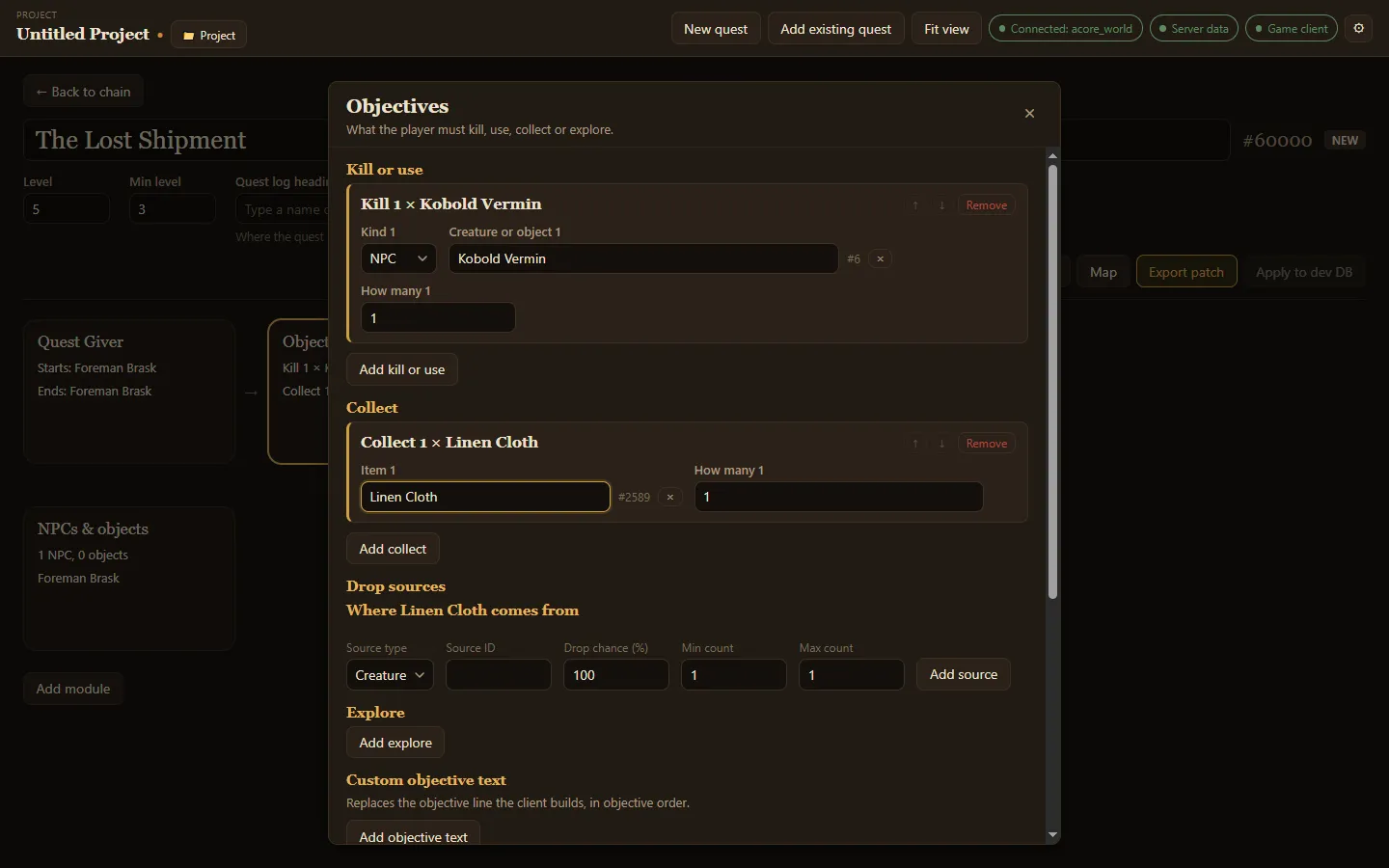
- Kill or use: choose Add kill or use, pick NPC or object, then type its name. Set How many.
- Collect: choose Add collect, type the item, and set how many.
- Drop sources: for each item to collect, where it comes from: which creature or object drops it, and the drop chance and counts. Items a quest asks for drop through here, not through loot.
- Explore: an area the player must reach, by area trigger ID.
- Custom objective text: replaces the objective lines the game builds, in objective order.
Dialogue and rewards
Section titled “Dialogue and rewards”Dialogue holds the text the giver says when offering the quest, while it is in progress and when it is handed in. Rewards holds the experience, money, items and reputation. With the server data folder connected, the app shows how much XP each reward tier gives.